

 分类:
GRpc
分类:
GRpc
前 言
tnblog
Grpc 跨平台 跨语言的Rpc(远程过程调用)框架 Rpc框架有许多种 Grpc 使用传输数据格式为 Protbuf二进制的数据格式进行传输.
特点:让开发者可以像调用本地方法一样调用远程服务器的方法
1.创建GrpcService项目
1.1创建.proto后缀文件 
syntax = "proto3";

option csharp_namespace = "RmTonyCustomGrpcServer";

package greet;

//1、定义接口名字
service TonyService{

 rpc TonySay (TonyRequest) returns (TonyResponse);
}

// 2、定义入参(类)
message TonyRequest{
    string name = 1;
}

// 3、定义出参(类)
message TonyResponse{
    string message = 1;
}
注:这里的1是一个标识 非值
对应接口实现
/// <summary>
    /// 1、实现类
    /// </summary>
    public class TonyServiceImpl : TonyService.TonyServiceBase
    {
        public override Task<TonyResponse> TonySay(TonyRequest request, ServerCallContext context)
        {
            Console.WriteLine($"grpc:{request.Name}");
            return Task.FromResult(new TonyResponse
            {
                Message = "Hello " + request.Name
            });
        }
    }
Startup.cs
         public void ConfigureServices(IServiceCollection services)
        {
            // 1、开启grpc
            services.AddGrpc();
        }

        // This method gets called by the runtime. Use this method to configure the HTTP request pipeline.
        public void Configure(IApplicationBuilder app, IWebHostEnvironment env)
        {
            if (env.IsDevelopment())
            {
                app.UseDeveloperExceptionPage();
            }

            app.UseHttpsRedirection();

            app.UseRouting();

            app.UseEndpoints(endpoints =>
            {
                // 1、映射grpc服务
                endpoints.MapGrpcService<TonyServiceImpl>();
                endpoints.MapGet("/", async context =>
                {
                    await context.Response.WriteAsync("Hello World!");
                });
            });
        }
CreateHostBuilder配置
  public static IHostBuilder CreateHostBuilder(string[] args) =>
            Host.CreateDefaultBuilder(args)
                .ConfigureWebHostDefaults(webBuilder =>
                {
                    // 1、配置http2协议
                    webBuilder.UseKestrel(options => {
                        options.ConfigureEndpointDefaults(options => {
                            options.Protocols = HttpProtocols.Http2;
                        });
                    });

                    webBuilder.UseStartup<Startup>();
                });
创建client端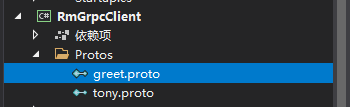
拷贝生成的 .proto后缀文件到 Protos文件夹
Program.cs
static void Main(string[] args)
        {


            // 1、建立连接
            GrpcChannel grpcChannel = GrpcChannel.ForAddress("https://localhost:5001");

            // 2、客户端创建
            TonyServiceClient tonyServiceClient = new TonyService.TonyServiceClient(grpcChannel);

            // 3、开始调用
            TonyResponse tonyResponse = tonyServiceClient.TonySay(new TonyRequest()
            {
                Name = "客户端"
            });

            // 4、打印
            Console.WriteLine($"返回值打印:{tonyResponse.Message}");

            grpcChannel.Dispose();

        }
启动 GrpcService
运行GrpcClient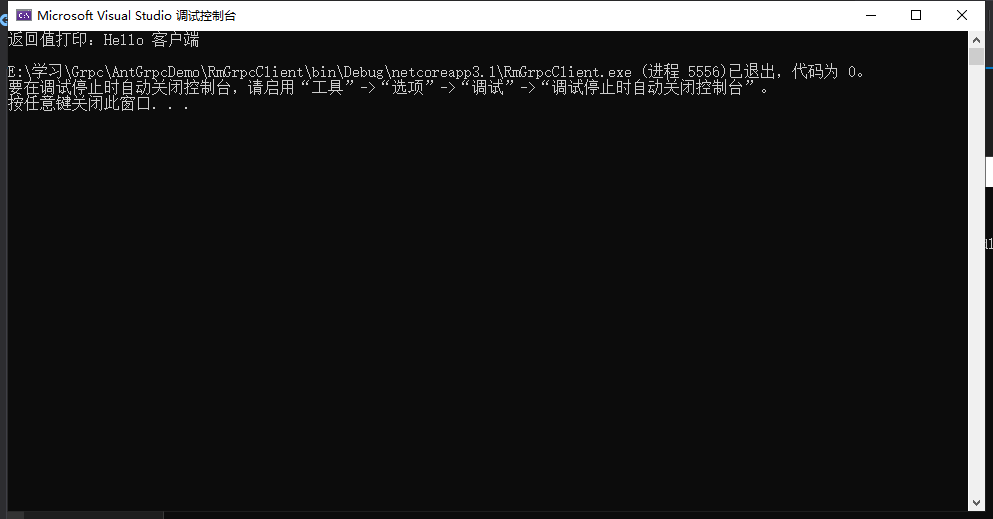
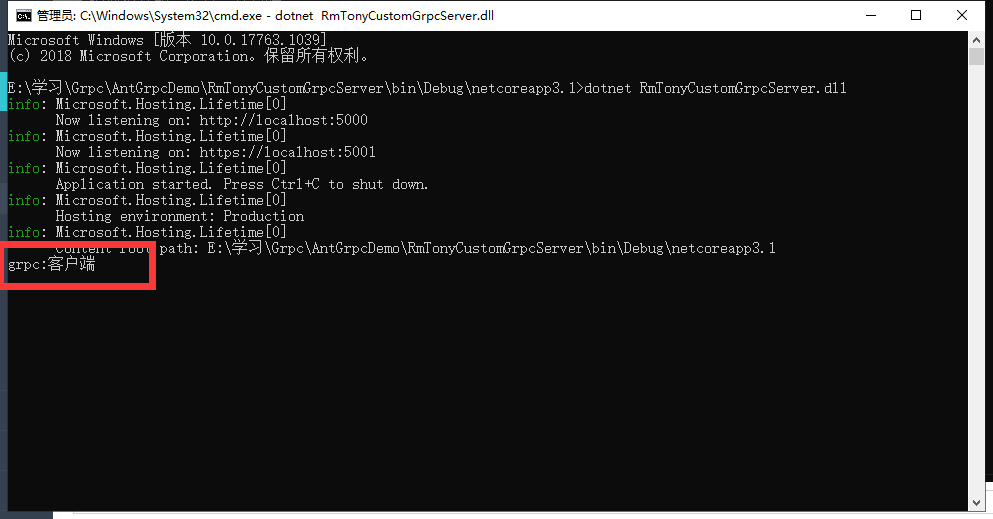
调用Grpc 成功 Grpc夸语言 大家有兴趣可以去尝试
评价


排名
6
文章
6
粉丝
16
评论
8
{{item.articleTitle}}
{{item.blogName}} : {{item.content}}
ICP备案 :渝ICP备18016597号-1
网站信息:2018-2025TNBLOG.NET
技术交流:群号656732739
联系我们:contact@tnblog.net
公网安备: 50010702506256
50010702506256

欢迎加群交流技术